X350 Inspectra In-Line Vision Inspection System




Top Uses & Applications




Introducing the X350 Inspectra
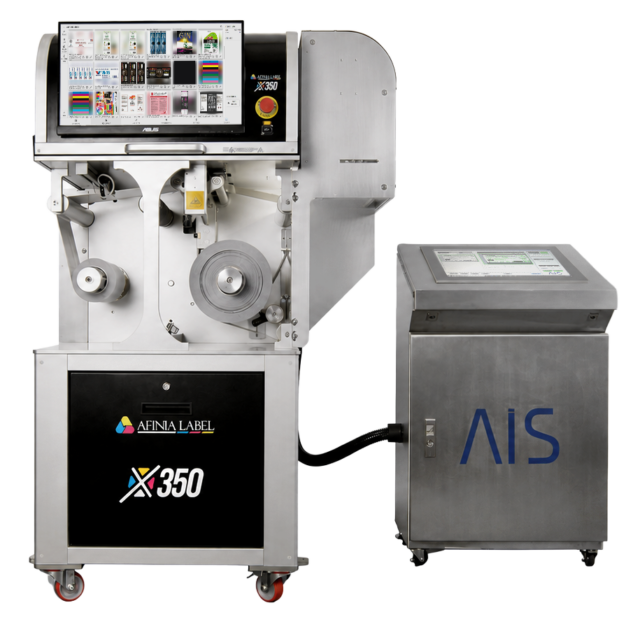
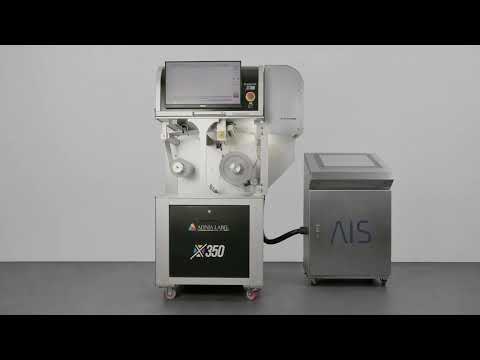
The Inspectra is an optional module that offers automated, 100% in-line vision inspection to the Afinia Label X350 Digital Roll-to-Roll Press. Developed by Afinia Label in coordination with AIS Vision Automation, the system checks every label during production to help identify defined print defects and critical content errors before the label reaches your product.
Designed for medical-device, pharmaceutical and other quality-critical applications, X350 Inspectra compares the printed web against an approved reference while monitoring defined text, variable data, barcodes, 2D codes, artwork and registration.
Saved inspection recipes support repeatable job setup, while immediate fault alerts and inspection records help operators respond to issues and review production results.
Print. Inspect. Protect.
Explore the X350 Label Printer Watch the Video
- 100% in-line inspection coverage
- Up to 27 m/min inspection speed
- Text, barcode and 2D code verification
- Saved inspection processes and defect records
100% In-Line Inspection
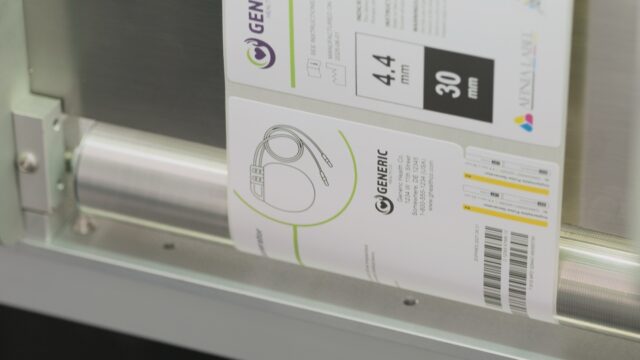
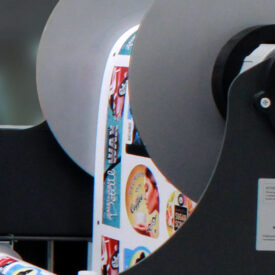
 X350 Inspectra checks the complete printed web during production, providing inspection coverage that does not rely solely on periodic manual sampling. Every label is evaluated against the inspection criteria established for the job, helping operators identify defined defects and critical content errors before labels reach the finished product.
Comparison Against an Approved Master
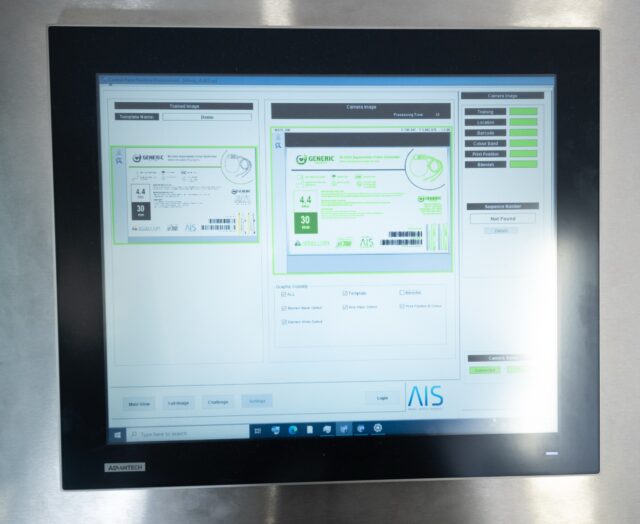
The vision system compares production output against an approved label reference. Inspection areas and tolerances can be configured according to the requirements of the application, and saved inspection recipes support consistent setup for repeat jobs.
Print and Artwork Inspection
X350 Inspectra can identify defined differences between the approved reference and the printed label, including missing print, streaks, voids, spots, incomplete elements and artwork variation. The system can also monitor label position and registration variation.
Text and Variable-Data Inspection
Inspect the presence and content of defined text fields, including variable production information such as lot numbers, batch numbers, serial numbers and expiration dates. This makes X350 Inspectra particularly useful for labels where every printed item may contain unique or production-specific information.
Barcode and 2D Code Verification
Supported 1D barcodes and 2D codes can be included in the inspection process. The system helps verify that required codes are present and meet the inspection criteria configured for the job.
Medical-Device and UDI Label Applications
Medical-device labels may combine fixed artwork with device identifiers, production information, barcodes and 2D codes. X350 Inspectra is designed to support UDI-enabled and variable-data medical-device label applications by checking defined carrier elements while comparing the complete label against an approved reference.
100% in-line inspection for UDI and variable-data medical-device labels.
X350 Inspectra is a production and inspection tool. The label manufacturer remains responsible for process validation and compliance with all applicable regulatory and quality-system requirements.
Pharmaceutical and Quality-Critical Labels
X350 Inspectra is also suited to pharmaceutical, healthcare, laboratory and other quality-critical applications where accurate text, codes, variable information and artwork are essential. Inspection criteria can be configured around the specific content and potential defects associated with each application.
Immediate Fault Detection
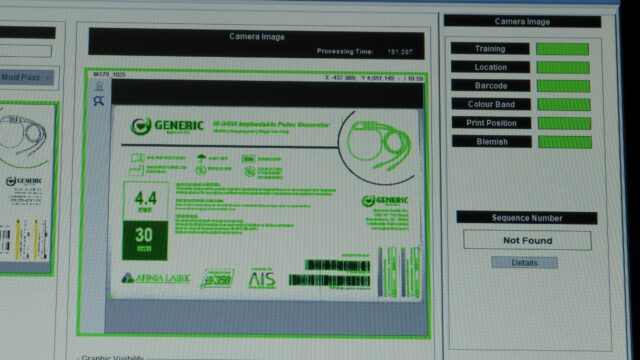
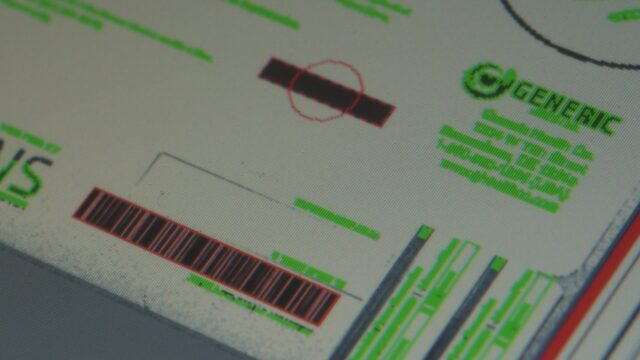
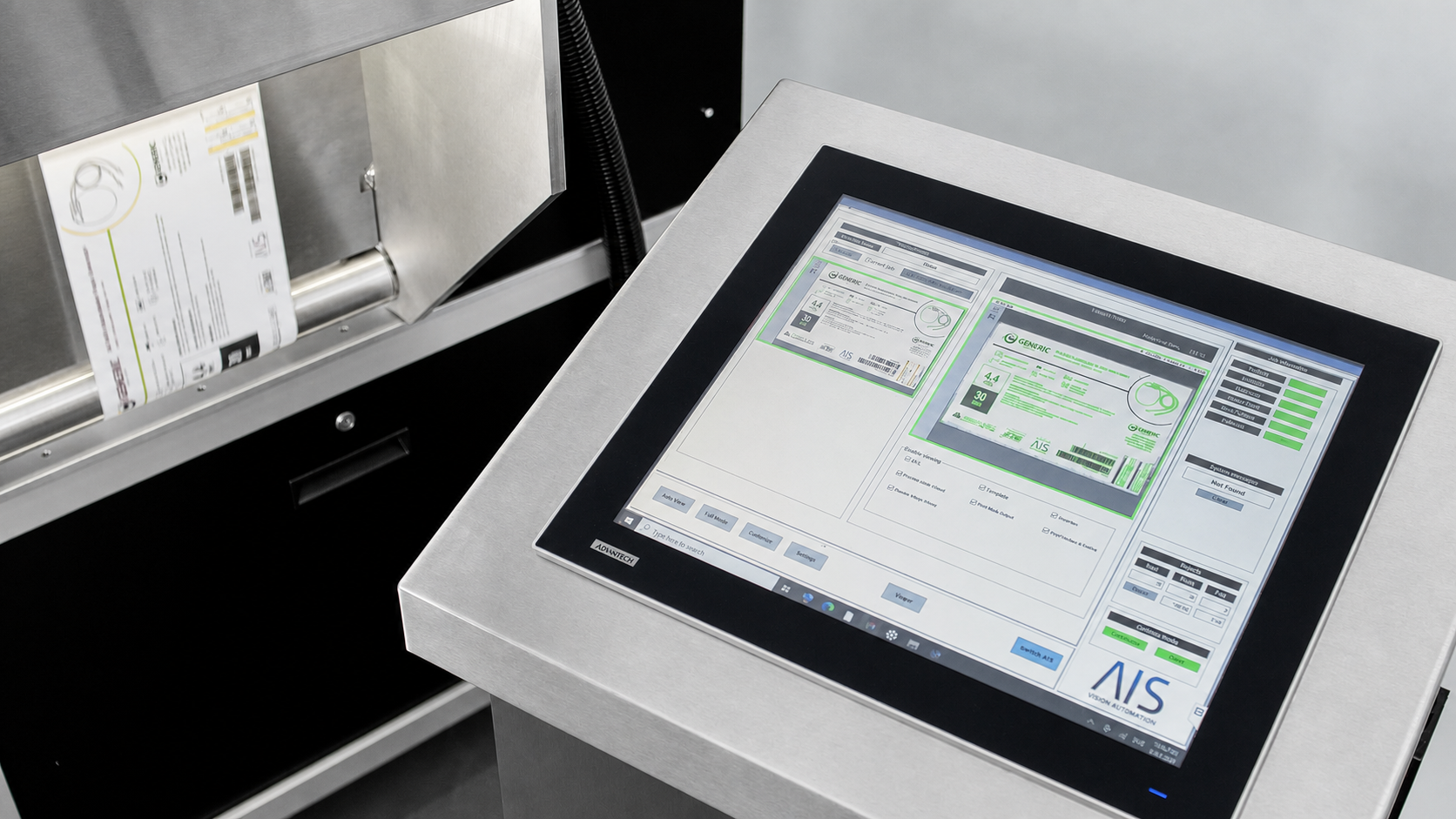
When the system detects a defined fault, an on-screen alert highlights the location of the issue for the operator. The production response can be configured to provide an alert or stop production, helping prevent additional affected labels from continuing through the workflow.
Inspection Records for Quality Review
The system retains failed-label images, job results and inspection summaries. These records provide useful production information and can support internal quality review, troubleshooting and continuous process improvement.
Saved and Reusable Inspection Recipes
Inspection configurations can be saved and reused for repeat jobs. This reduces setup time, supports consistency between production runs and helps operators apply the approved inspection criteria each time a label job returns to production.
Dedicated AIS Vision Controller
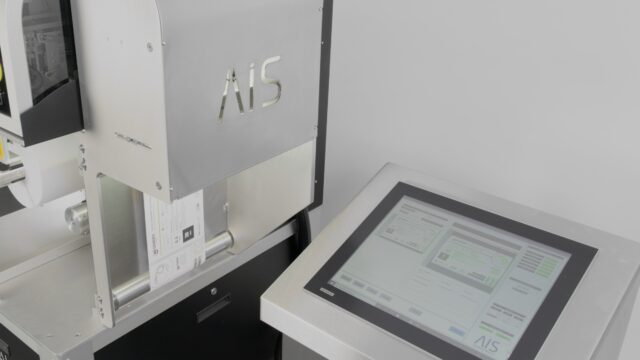
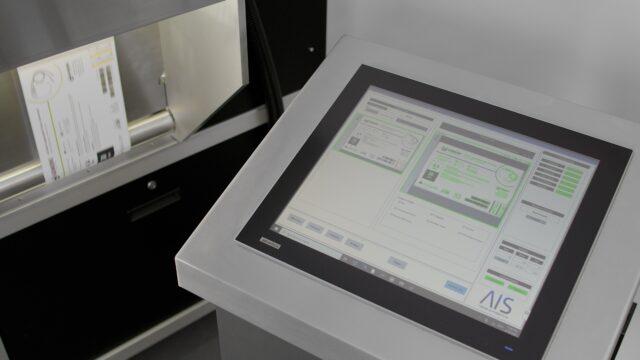
A dedicated AIS controller and touchscreen interface provide inspection setup, live production monitoring, fault notification and access to inspection results. Ethernet connectivity and local record storage support integration into the production environment.
Developed with AIS Vision Automation
X350 Inspectra was developed by Afinia Label in coordination with AIS Vision Automation in Ireland. It brings dedicated machine-vision technology into the X350 workflow to provide automated inspection and immediate operator feedback.
A Coordinated Print-and-Inspect Workflow
- Approve: Load the approved label reference and define the required inspection criteria.
- Save: Store the configuration as a reusable inspection recipe.
- Produce: Print labels using the X350 production workflow.
- Inspect: Check the complete printed web in line at speeds up to 27 metres per minute.
- Respond: Alert the operator, identify the fault location and initiate the configured production response.
- Review: Use saved defect images, job results and summaries to review production.
Key Inspection Capabilities
- 100% inspection of the printed web
- Inspection speeds up to 27 metres per minute
- Inspection widths up to 324 mm
- Approved-master artwork comparison
- Text presence and content verification
- Lot, batch, serial and expiration-data inspection
- Supported 1D barcode and 2D code inspection
- Print-defect and registration-variation detection
- On-screen fault alerts with highlighted defect locations
- Configurable operator alert and production stop
- Saved inspection recipes for repeat jobs
- Failed-label images and inspection summaries
Integrated with the X350
X350 Inspectra is a vision-inspection configuration for the Afinia Label X350 Digital Roll-to-Roll Press. It combines the X350 production workflow with dedicated AIS machine-vision technology. Printing capabilities, media compatibility, finishing options and complete press specifications are available on the X350 product page.
See X350 Inspectra in Action
Watch the X350 and AIS vision system work together to print and inspect quality-critical labels.
Discuss Your Inspection Application
Inspection requirements vary according to the label, data, codes, production environment and quality process. Contact Afinia Label to discuss the defects and content you need to inspect, your label dimensions, required production speed and validation requirements.
Contact an Afinia Label Specialist Explore the X350 Label Printer
Inspection method | Automated in-line machine vision |
|---|---|
| Inspection coverage | 100% of the printed web |
| Maximum inspection speed | Up to 27 metres per minute |
| Maximum inspection width | Up to 324 mm |
| Reference method | Comparison against an approved master |
| Job setup | Saved and reusable inspection recipes |
| Print inspection | Missing print, streaks, voids, spots and incomplete elements |
| Text inspection | Presence and content verification |
| Variable-data inspection | Lot, batch, serial and expiration information |
| Code inspection | Supported 1D barcodes and 2D codes |
| Artwork inspection | Comparison against an approved reference |
| Registration inspection | Detection of position and registration variation |
| Fault notification | On-screen alert with highlighted defect location |
| Production response | Configurable alert and production stop |
| Defect records | Failed-label images, job results and inspection summaries |
| Job storage | Saved inspection configurations |
| Controller and display | Dedicated AIS controller with touchscreen interface |
| Connectivity and storage | Ethernet connection and local inspection records |
| Electrical requirements | To be confirmed for regional configuration |
| Installed dimensions and weight | To be confirmed |
General
What is the X350 Inspectra?
Does X350 Inspectra check every label?
Inspection Capabilities
What can X350 Inspectra inspect?
What types of print defects can it detect?
Can it inspect variable data?
What happens when a fault is detected?
Medical-Device and UDI Labels
Can X350 Inspectra be used for UDI labels?
Performance
What is the maximum inspection speed?
What is the maximum inspection width?
Job Setup and Records
Can inspection settings be saved for repeat jobs?
Does the system retain inspection records?
Does X350 Inspectra replace manual quality procedures?
Installation and Purchasing
Can Inspectra be added to an existing X350?
How can I request pricing or a demonstration?
Talk to an X350 Inspectra Specialist
Tell us about your labeling application and inspection requirements. We’ll help you determine whether X350 Inspectra is right for your workflow and arrange a personalized demonstration.
- Request product and pricing information
- Discuss the text, variable data, barcodes and defects you need to inspect
- Schedule an X350 Inspectra demonstration